A browser extension that turns any page, local documents or an entire site into agentic conversations and actionable knowledge. Connect to MCP servers, build your own agents and run AI on your GPU. No cloud, API keys, no accounts, no data leaves your trusted environment.
Benchmark your GPU right here in the browser. We measure WebGPU support, fp16 shaders, compute throughput and memory bandwidth — then tell you which model tier fits your hardware.
No configuration headaches, no sign-ups, no API keys. Just install and ask.
Open an issue on GitHub. We'll send you a packaged build — drop it in Chrome's extensions page with Developer Mode on and you're running.
First launch downloads ~600 MB to your local cache. After that, it's instant forever.
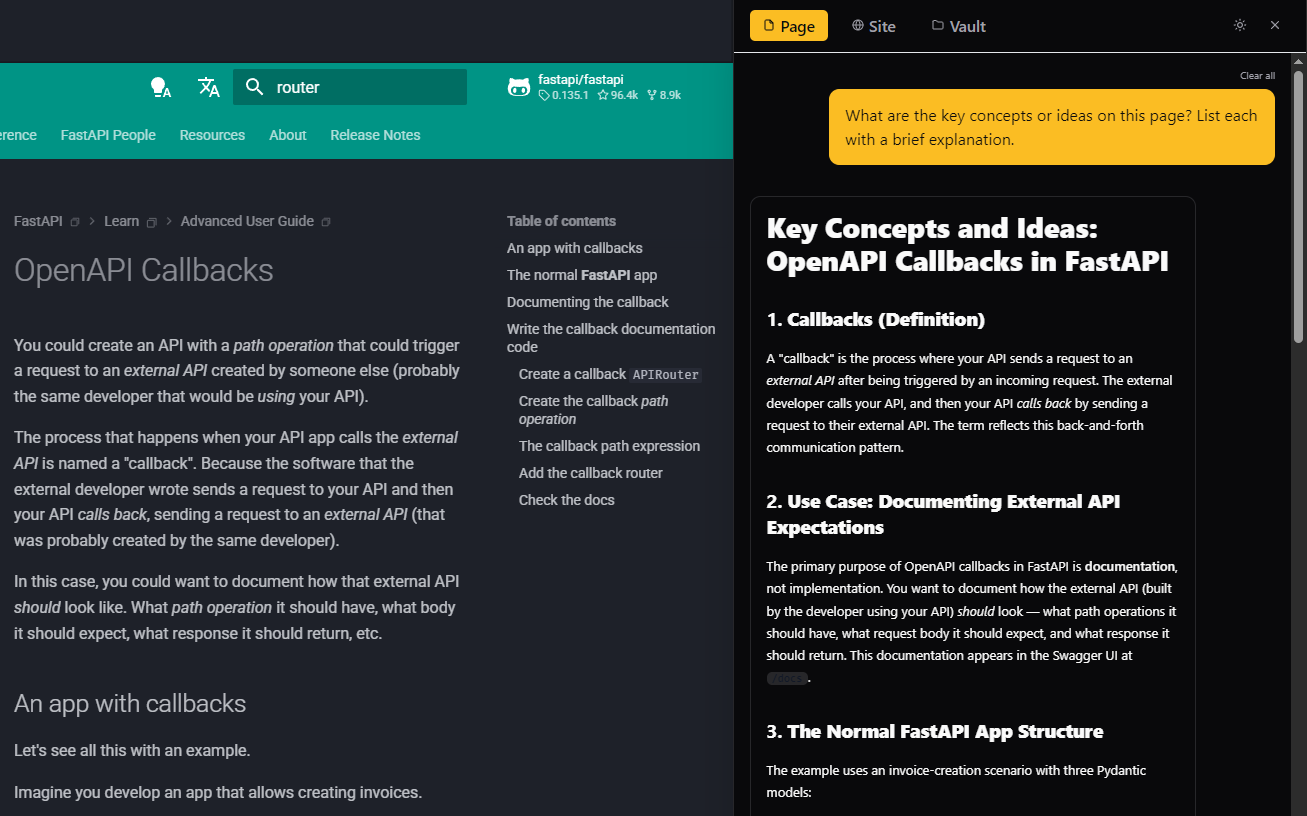
Click the floating widget on any page. Ask questions, get AI-powered answers with citations.
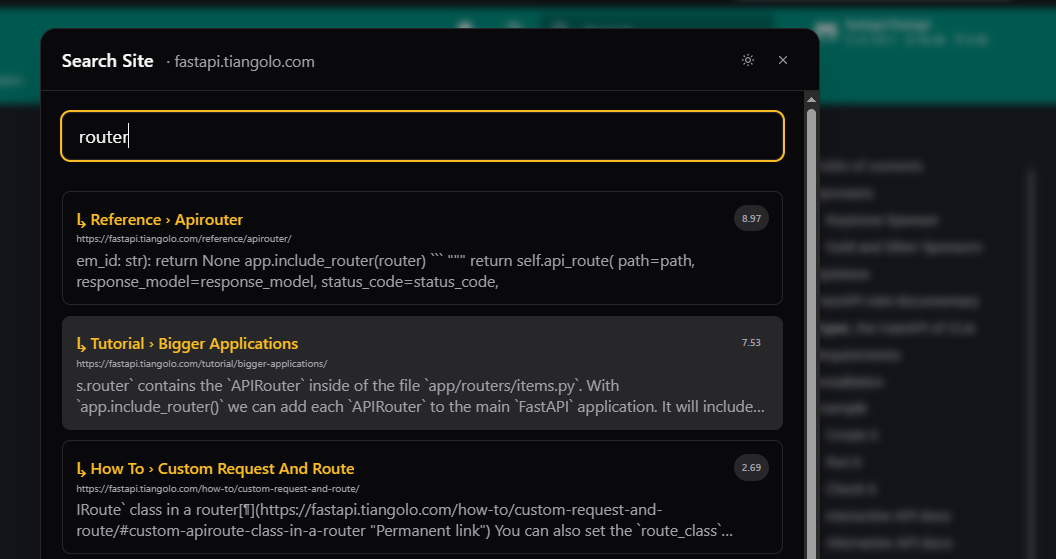
Switch to Site mode to crawl, index, and search entire websites as a knowledge base.
Switch to Vault mode to index, and search entire local documents as a knowledge base.
Attach tools to LLMs and empower them with live data.
Powerful semantic search across all indexed sites
Two powerful modes, one seamless experience.
Ask questions about any webpage. Smart content extraction strips noise (nav, ads, scripts) and feeds clean markdown to the AI. Streaming responses appear in real time.
Auto-discovers sitemaps, crawls up to 150 pages, chunks and embeds everything on your GPU. Ask questions and get answers with source citations.
From 280 MB ultra-light to 2.3 GB high-quality. The extension benchmarks your GPU and recommends the best model for your hardware.
WebGPU (default), Ollama, built-in Gemini Nano, or Claude API if you have no GPU. Switch with one click — the entire experience stays the same.
Search across all indexed sites by meaning, not just keywords. Find what you're looking for even if you don't remember the exact words.
Export your entire knowledge base as a ZIP — embeddings, conversations, settings. Import on another machine to pick up where you left off.
Every other "chat with a page" tool sends your content to external servers.
| Capability | This Extension | Everyone Else |
|---|---|---|
| AI inference | Your GPU via WebGPU | OpenAI / Anthropic servers |
| Your data | Never leaves your browser | Uploaded to third-party clouds |
| After install | Works offline, forever | Breaks without API key |
| Cost | Free core, $9 one-time | $10–20/month subscriptions |
| Setup | Click install. Done. | API keys, accounts, config |
| Models | 16 local + 3 remote backends | Whatever the vendor gives you |
The extension profiles your GPU on first run and recommends the best fit. Models that won't fit are automatically flagged.
Clean architecture, modern stack, zero runtime overhead.
ONNX Runtime Web + @huggingface/transformers. Models run as native GPU compute shaders — no WASM overhead for inference.
Compiles to vanilla JS at build time. Zero runtime, zero virtual DOM. The popup and widget add virtually nothing to page weight.
LLM inference, embedding generation, and site crawling each run in dedicated workers. The UI stays at 60fps no matter what.
Daneel is currently in private Release Candidate testing — access is by invitation while we finalize the public launch. To request access, open an issue on our public GitHub repository telling us a bit about your setup and use case — we'll reach out with a packaged build.
The default model is ~600 MB. It downloads once from Hugging Face's CDN and caches permanently. Smaller models start at ~280 MB.
Yes. After the initial model download, all AI inference runs locally. Querying already-indexed sites works fully offline. Site crawling requires network access.
No. Page content, questions, and AI responses stay in your browser. The only network calls: model download (once), optional license refresh (weekly, paid users), and optional anonymous telemetry (opt-in).
No. One-time payment of $9. No recurring charges, no expiration. The license key works forever.
Chrome 113+ with WebGPU. Edge (Chromium-based) works with sideloading. Without WebGPU, it falls back to CPU inference, or you can connect to Ollama / Claude API.
Try a smaller model in Settings. The extension benchmarks your GPU and recommends a model, but integrated GPUs may struggle with larger models. You can also connect to a local Ollama server for better performance.

Features, improvements, and announcements.
In-depth research papers from Daneel AI on local inference, model architecture, quantization, and adjacent technologies.